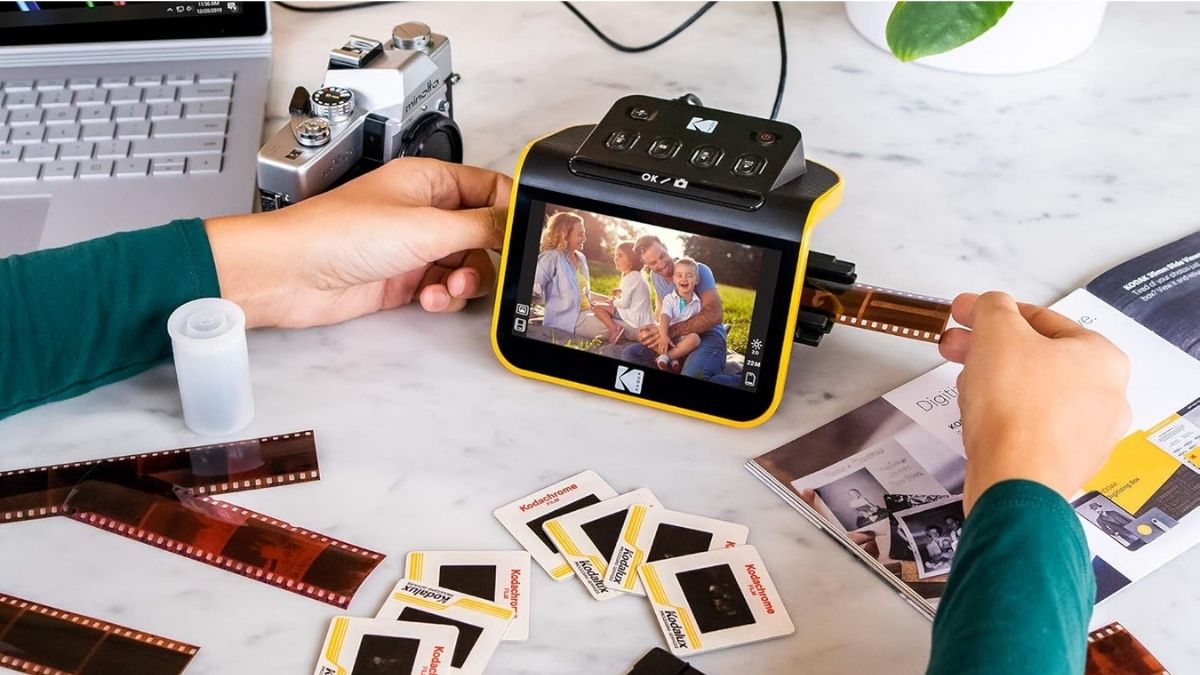
Remember those boxes of slides and film negatives collecting dust in your closet? They hold irreplaceable memories, but they’re practically inaccessible in their current form. According to recent surveys, the average American household has over 3,000 analog photos stored away, many at risk of fading or damage.
The KODAK Slide N SCAN Film & Slide Scanner offers a solution that bridges your analog past with your digital present. More than just its technical specs, what stands out is the emotional impact of seeing long-forgotten images displayed in vivid detail again. This guide explores everything you need to know about this increasingly popular scanner and why it’s become a household favorite for preserving photographic history.
What Is the KODAK Slide N SCAN Film & Slide Scanner?
At its core, the KODAK Slide N SCAN is a standalone digitizer designed for ease of use. It features a built-in 5″ LCD screen (or 7″ in the Max version) and a 13–14MP CMOS sensor that can interpolate images up to 22MP resolution. Unlike professional-grade scanners, its focus isn’t on complex editing or ultra-high precision—it’s on accessibility. Anyone can start digitizing slides and negatives within minutes, no computer required.
Key Features and Specifications
Before diving into how it works, let’s break down what the scanner offers in terms of performance and design.
- Image Sensor & Resolution: Native 13–14MP CMOS sensor with interpolation up to 22MP.
- Display Options: 5″ LCD on the standard model, 7″ on the Max version.
- Media Support: Handles 50mm slides, 135/35mm film, 110 film, 126 film, and both color or B&W negatives.
- Connectivity & Storage: USB-C power/data, HDMI output, SD/SDHC card slot (up to 32GB, card sold separately).
- Size & Weight: Compact at 95 × 136 × 134 mm, weighing around 380g.
These specs position the Slide N SCAN as a versatile tool that balances image quality with convenience.
How the KODAK Slide N SCAN Works
The scanning process is designed to be as intuitive as possible, which is one reason it’s so popular among casual users.
Loading Process
Film and slides fit into dedicated adapters—35mm slides, 35mm strips, 110 film, or 126 film—that slide directly into the device.
Scanning Workflow
Once loaded, the image appears on the built-in screen. A simple button press captures the scan in 1–2 seconds, making it possible to digitize large collections efficiently.
On-Device Editing
Users can make quick corrections before saving:
- Adjust brightness
- Tweak color balance
- Select film type
- Rotate orientation
- Add date/time stamps
Storage & Transfer
Scans save directly to an SD card in JPEG format. You can then either remove the card for use on a computer or connect the scanner via USB-C. HDMI output also allows instant viewing on a TV.
The Verdict: Is the KODAK Slide N SCAN Right for You?
The KODAK Slide N SCAN strikes a balance between convenience, affordability, and quality. It won’t rival professional lab scans in detail, but for most families, the results are more than enough to preserve and share memories. The real magic lies in its ability to make forgotten slides and negatives instantly viewable, giving new life to decades of photography that might otherwise remain hidden away.
If you have a collection of analog photos waiting to be rediscovered, this scanner offers a straightforward, budget-friendly way to preserve them for the future.
Available on Amazon, the KODAK Slide N SCAN is part of the Amazon New Bestsellers in Film Scanners category, where you can explore even more devices designed for photo preservation.