The battle for smart home dominance between Amazon and Google has evolved into a practical partnership that benefits consumers most. According to recent smart home adoption statistics, 63% of households now use multiple ecosystems simultaneously.
Testing of the Google Nest Thermostat alongside Amazon Echo devices shows how seamless integration can simplify climate control and improve daily comfort. This cross-platform compatibility highlights the future of smart homes—where devices work together smoothly, regardless of brand ecosystem.
Google Nest Thermostat: Core Features for Amazon Users
The Google Nest Thermostat represents a significant advancement in home climate control technology, particularly for users who have invested in Amazon’s ecosystem. This smart device doesn’t force you to choose between platforms—instead, it bridges the gap between Google and Amazon environments.
Smart Temperature Control That Adapts
The Google Nest Thermostat’s primary function revolves around its ability to adjust your home’s heating and cooling systems based on your habits and presence. The device recognizes when you’re away and automatically adjusts temperatures to conserve energy, then returns to your preferred settings when you’re home. This functionality seamlessly integrates with Amazon routines, allowing the thermostat to respond to other Amazon-based triggers in your home.
Cross-Platform Remote Management
Managing your home’s climate no longer requires physical presence. The Google Nest Thermostat provides remote temperature control through both the Google Home app and Amazon Alexa app. This cross-platform capability ensures you can adjust settings from anywhere using your preferred interface. Whether you’re heading home early on a cold day or want to cool your house before returning from vacation, a few taps on your smartphone make it possible.
Voice Command Integration
Amazon Echo device owners gain the ability to control their Nest Thermostat through natural voice commands. Simple phrases like “Alexa, set the temperature to 72 degrees” or “Alexa, make it warmer” translate into immediate adjustments. This hands-free control proves particularly valuable when cooking, exercising, or simply relaxing without wanting to reach for your phone.
Energy Intelligence and Savings
The Nest Thermostat continuously monitors energy usage patterns, generating detailed reports and personalized recommendations to optimize efficiency. These insights help identify opportunities for reducing consumption while maintaining comfort. Many users report noticeable reductions in their utility bills after implementing the suggestions, making the thermostat an investment that potentially pays for itself over time.
Adaptive Scheduling Capabilities
Through consistent use, the Nest Thermostat develops an understanding of your temperature preferences throughout the day. This learning capability enables it to create schedules that anticipate your needs without constant manual adjustments. The system balances comfort with efficiency by recognizing patterns like when you typically sleep, wake up, or leave home.
Proactive HVAC System Monitoring
Beyond controlling temperature, the Nest Thermostat keeps watch over your entire heating and cooling system. When potential issues arise, it sends alerts to your preferred device—whether that’s an Amazon Echo Show or your smartphone. This early warning system helps prevent small problems from developing into major repairs, potentially saving substantial maintenance costs.
Setting Up Google Nest Thermostat with Amazon Alexa
Installation Fundamentals
Installing the Google Nest Thermostat typically takes about 30 minutes, even for those without technical expertise. Most homes can use the thermostat without a C-wire, though some systems require this additional connection for stable power. Google provides clear installation guides with color-coded wiring instructions that match the labels on most HVAC systems.
For installations without a C-wire, the Nest uses power-stealing technology to maintain its charge. However, some systems may experience intermittent connectivity issues without dedicated power. In these cases, a power adapter (sold separately) provides a solution without requiring professional rewiring.
Connecting Ecosystems
After physical installation, the next step involves enabling the Google Nest skill in your Amazon Alexa app. This process requires:
- Opening the Alexa app
- Navigating to Skills & Games
- Searching for “Google Nest”
- Selecting “Enable Skill”
- Signing into your Google account
- Granting necessary permissions
This connection establishes the communication bridge between Amazon’s voice assistant and your new thermostat.
Essential Voice Commands
The most effective voice commands for controlling your Nest Thermostat through Amazon devices include:
- “Alexa, what’s the temperature in [room name]?”
- “Alexa, set [thermostat name] to [specific temperature]”
- “Alexa, increase/decrease the temperature by [number] degrees”
- “Alexa, set [thermostat name] to heat/cool mode”
- “Alexa, what’s the humidity level at home?”
These commands work across all Echo devices, from the basic Echo Dot to screen-equipped Echo Show models.
Troubleshooting Connection Issues
Connectivity problems between Amazon and Google devices typically stem from a few common sources:
- Different Wi-Fi networks for the respective devices
- Outdated firmware on either the thermostat or Amazon device
- Revoked permissions in either account
- Network interruptions affecting communication
Restarting both devices, confirming they share the same network, and refreshing the skill connection solves most integration issues.
Creating Multi-Platform Routines
Amazon’s Routine feature enables sophisticated automation sequences that incorporate both ecosystems. For example, saying “Alexa, good morning” could:
- Raise the Nest Thermostat to your preferred morning temperature
- Turn on Amazon-controlled lights
- Read your schedule from Google Calendar
- Play news briefings through your Echo speaker
These cross-platform routines eliminate the need to issue multiple commands to different assistants.
Verifying Compatibility
Before purchasing, use Google’s online HVAC system checker to confirm compatibility with your specific heating and cooling setup. This tool requires information about your existing system wiring and provides an immediate assessment of compatibility, including whether a C-wire would be necessary for your installation.
Comparing Google Nest Thermostat Models for Amazon Integration
Standard Google Nest Thermostat
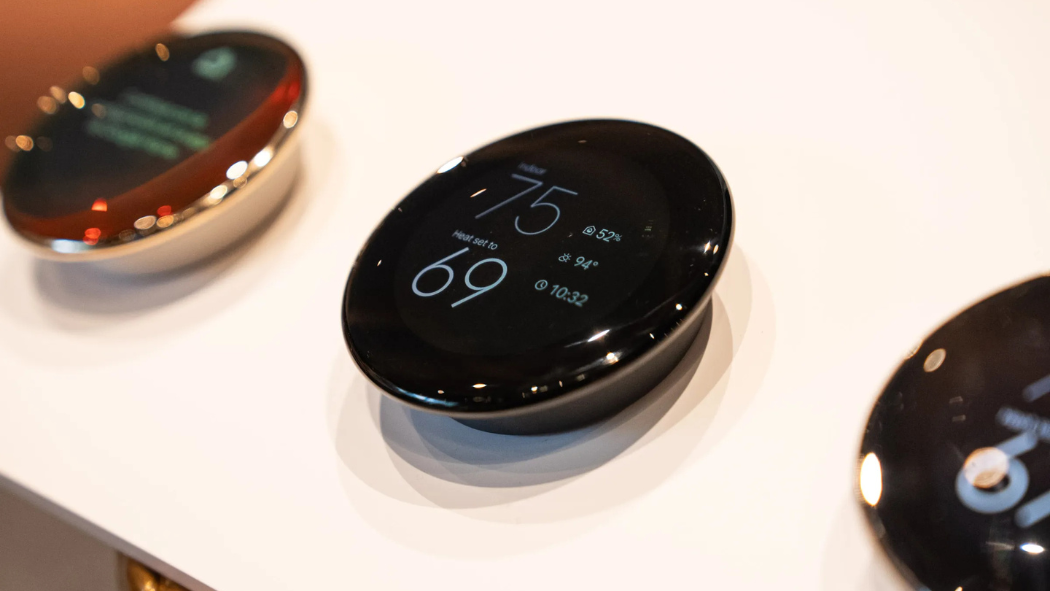
The base Google Nest Thermostat offers a strategic balance of features and value. For Amazon ecosystem users, this model provides straightforward compatibility with Alexa commands and routines. Its streamlined design features a mirrored display that blends with most home décor when inactive, while illuminating clearly when approached.
Key advantages include:
- Lower initial investment
- Simplified interface
- Essential smart features without unnecessary complexity
- Easy installation process
- Compatible with most HVAC systems
Google Nest Learning Thermostat (3rd Gen)
The 3rd Generation Learning Thermostat represents a significant step up in capabilities while maintaining excellent Amazon compatibility. Its premium metal ring construction and high-resolution display make it a focal point of room design rather than merely a functional device.
Standout features include:
- Farsight technology that displays time, temperature, or weather when detecting movement across the room
- More advanced learning algorithms that adapt more quickly to your preferences
- Additional sensor support for monitoring multiple rooms
- Expanded HVAC system compatibility
- Historical data analysis for optimizing energy use
For Amazon users, this model offers enhanced voice command response and more detailed information when queried through Echo devices.
The Future of Cross-Platform Integration
The walls between competing smart home ecosystems continue to crumble in 2025, with Google Nest Thermostat exemplifying this positive trend. By embracing both Amazon and Google products in your home, you gain flexibility, redundancy, and choice. The Matter standard has matured significantly, allowing your Google Nest Thermostat to communicate seamlessly with Amazon devices without the headaches of previous generations. This cross-compatibility represents the smart home we were always promised—one where technology serves your needs rather than forcing you into walled gardens.